23.06.2026
.png)
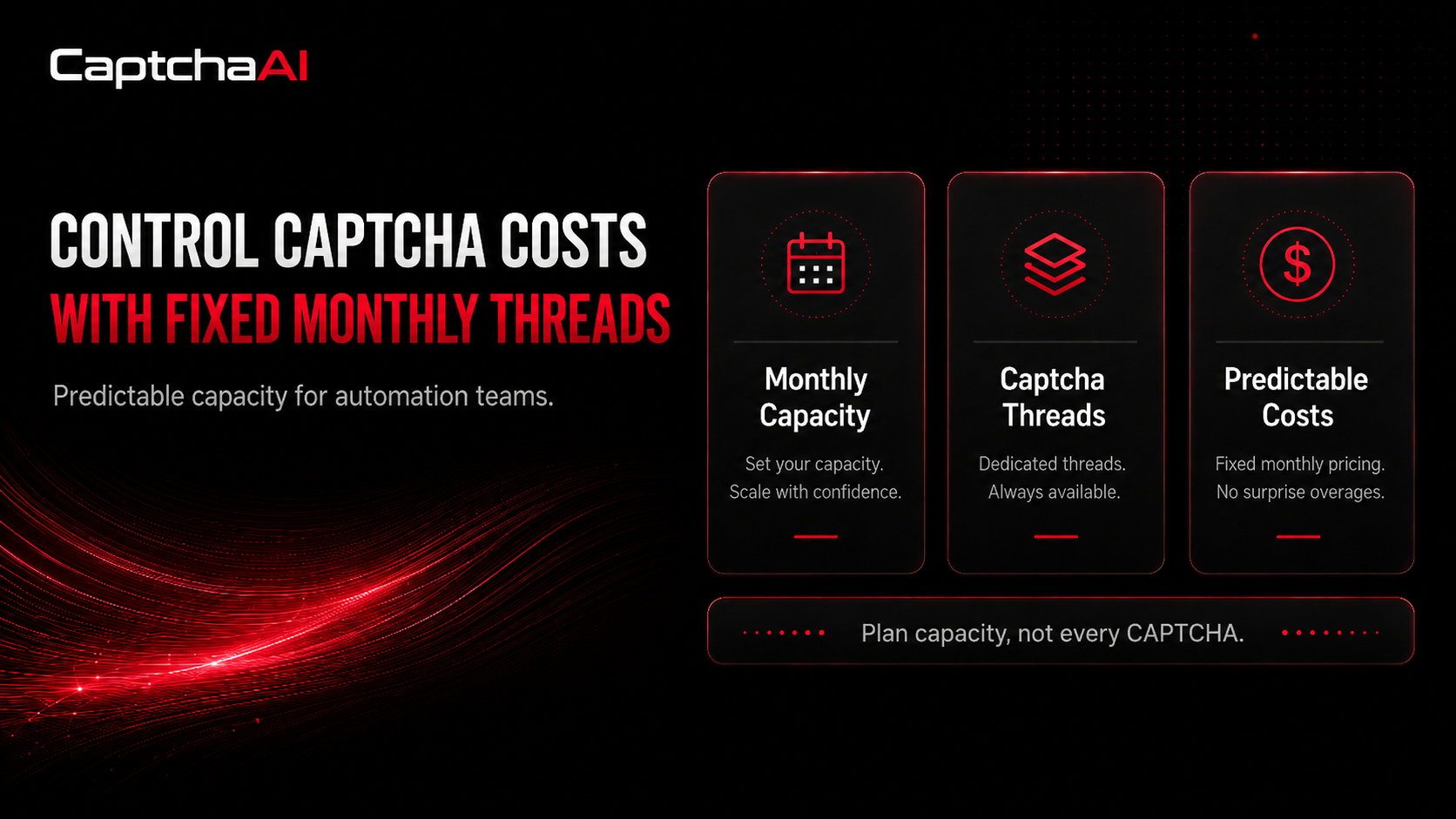
CAPTCHA solving is often treated as a small technical step inside automation workflows. A script reaches a protected page, a challenge appears, the solver returns a result, and the workflow continues.
At low volume, this may look simple.
But for teams running browser automation, QA testing, data workflows, account checks, or repeated form validation, CAPTCHA solving can become more than a technical detail. It becomes part of infrastructure planning.
The challenge is not only whether a CAPTCHA can be solved. The bigger question is whether the cost of solving remains predictable as the workflow grows.
Many CAPTCHA solving services use a pay-per-CAPTCHA model. This means every solved challenge creates a separate cost. For occasional use, that may be acceptable. But when automation runs daily, across many sessions or repeated tasks, variable pricing can make monthly costs harder to forecast.
This is where fixed monthly thread-based pricing offers a different approach.
Instead of paying for every individual CAPTCHA, users can plan around solving capacity. For teams that already budget for proxies, servers, browser profiles, automation tools, and monitoring systems, this can make CAPTCHA solving easier to manage as part of the wider automation stack.
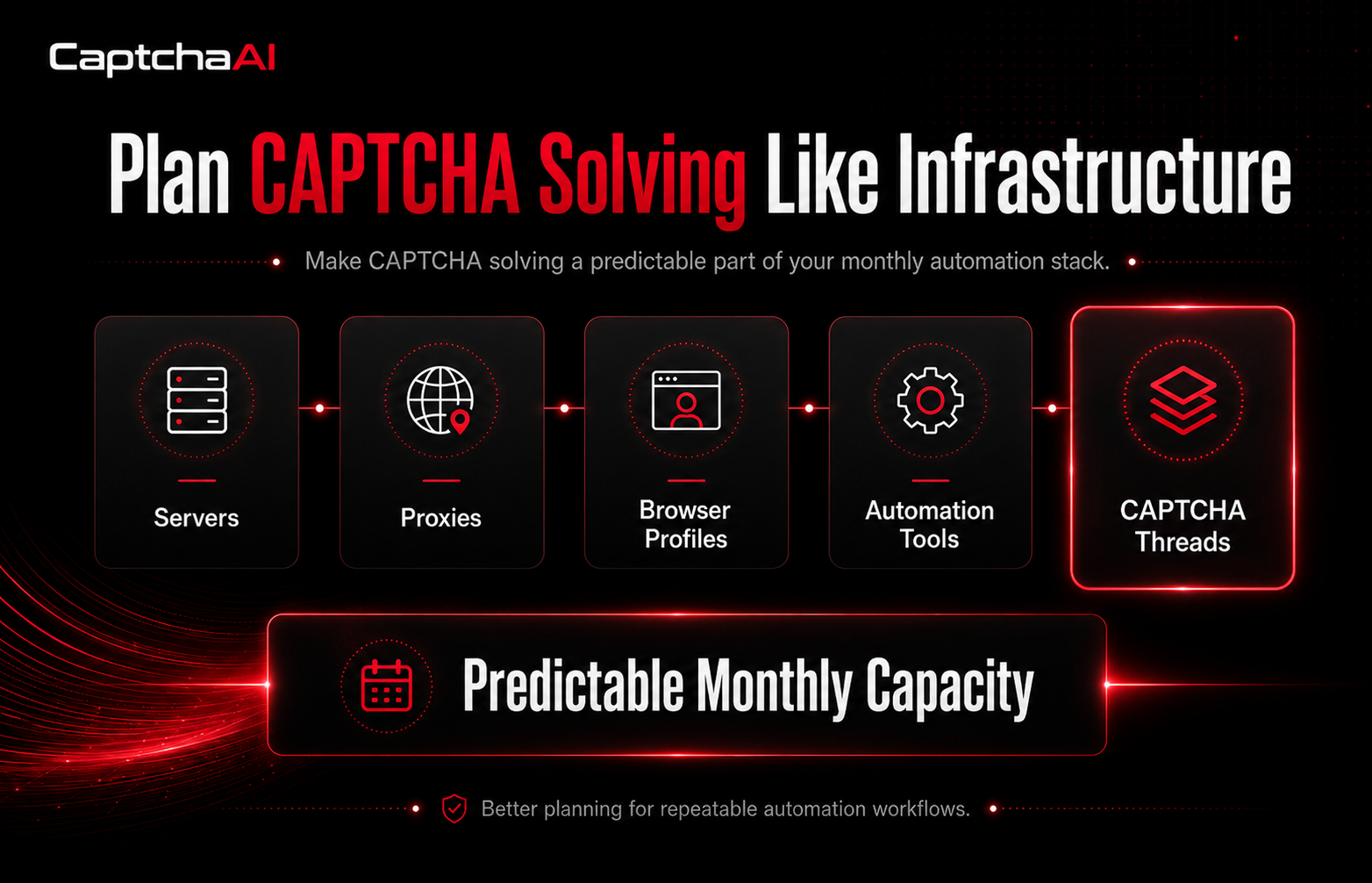
Automation teams often plan infrastructure around monthly budgets. They know the cost of their servers, proxy plans, SaaS tools, cloud storage, and monitoring systems.
CAPTCHA solving can be harder to forecast when pricing depends only on usage volume.
A workflow may trigger very few challenges during testing, then face more verification events in production. A website may increase protection on certain pages. A form may start showing more checks after repeated testing. A browser automation flow may create retries that generate additional solving requests.
In these cases, CAPTCHA solving cost becomes variable.
For small projects, this may not matter much. For high-volume or repeatable workflows, it can create problems:
For developers, QA teams, browser automation users, and data operators, predictability can be just as important as speed.
A solving service may be technically useful, but if the cost becomes unpredictable at scale, it becomes harder to include in a long-term workflow.
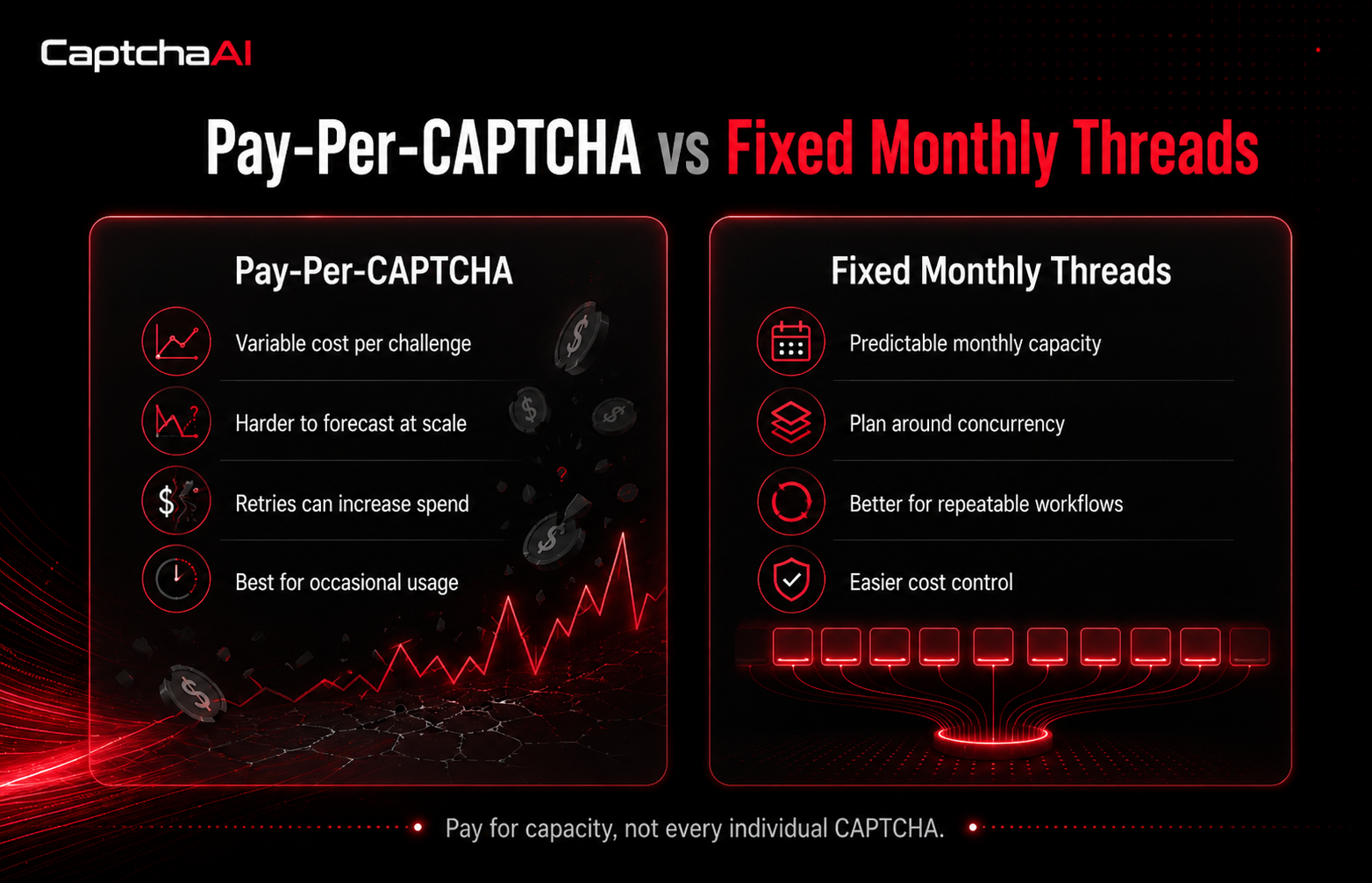
Pay-per-CAPTCHA pricing is easy to understand: each solved challenge has a separate cost.
This model can work well for occasional usage. If a user solves only a small number of CAPTCHAs, the final cost may stay manageable.
The issue appears when CAPTCHA solving becomes part of a repeatable workflow.
For example, automation may involve:
In these cases, CAPTCHA volume may change based on workflow size, website behavior, retries, session quality, and protection level.
This makes budgeting more difficult. The final cost depends on how many challenges appear, how often the workflow retries, and how many sessions run at the same time.
A pay-per-CAPTCHA model answers one question:
“How many CAPTCHAs were solved?”
But automation teams often need to ask a different question:
“How much solving capacity does this workflow need to stay stable?”
That is where thread-based pricing becomes more practical.
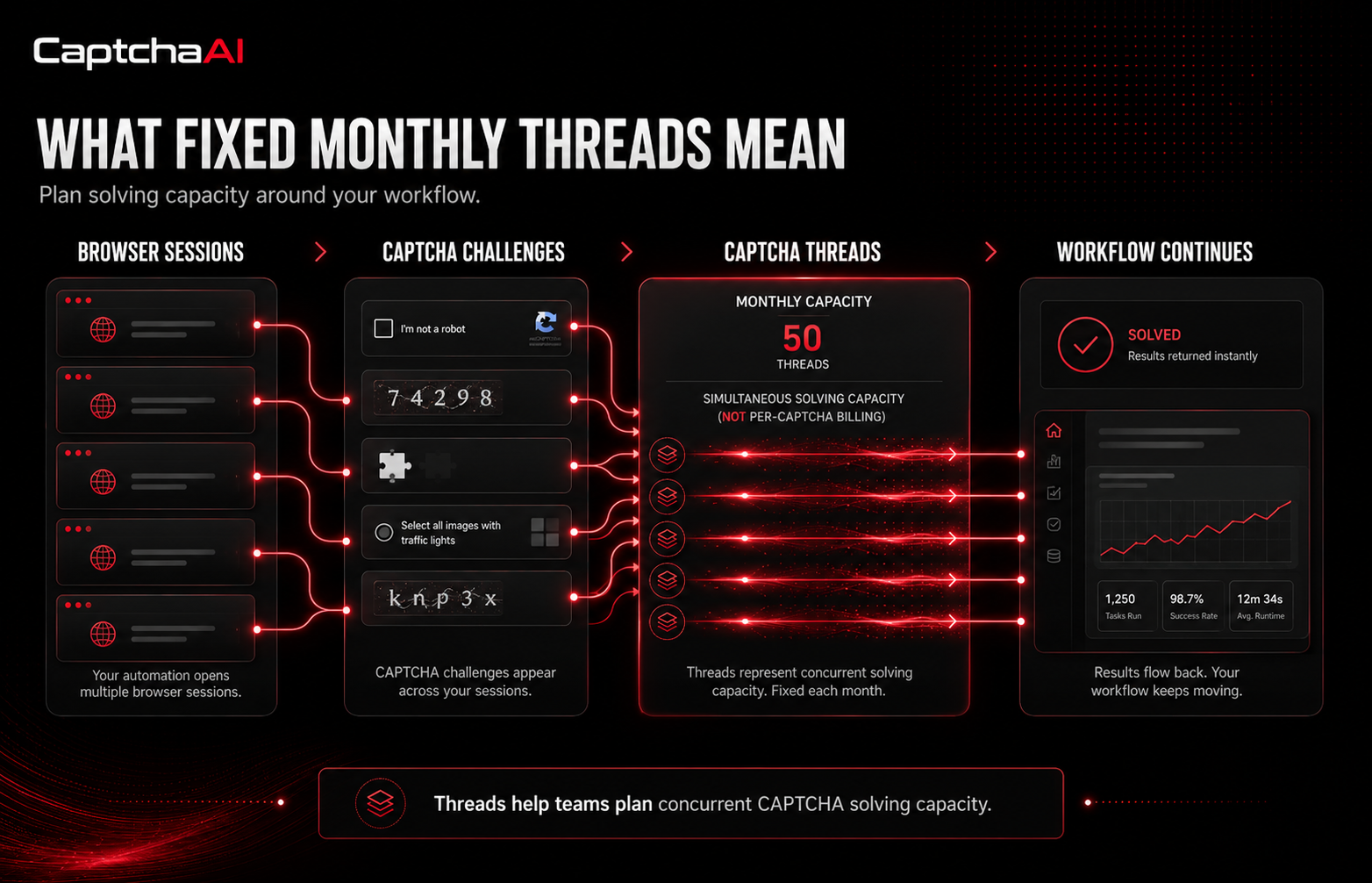
Fixed monthly thread-based pricing changes the way teams think about CAPTCHA solving.
Instead of treating every CAPTCHA as a separate cost event, users choose a plan based on the number of Captcha Threads they need.
A thread represents simultaneous solving capacity. In simple terms, more threads allow more CAPTCHA tasks to be processed at the same time.
This makes the model easier to connect with automation concurrency.
For example, a team can think about:
Instead of trying to predict every CAPTCHA event, the team can plan around capacity.
This is similar to how many automation teams already think about infrastructure. They do not only ask how many requests they will send. They ask how many servers, workers, browser profiles, proxy connections, or concurrent tasks they need.
CaptchaAI uses this type of fixed monthly thread-based model. Users can select a plan based on thread capacity, with the latest plan details available on the pricing page:
https://captchaai.com/#pricing-plans
This makes CAPTCHA solving easier to include in a predictable monthly automation budget.
Automation is often about concurrency.
A workflow may run one browser session, ten sessions, or hundreds of repeated tasks depending on the project. CAPTCHA solving needs to support that structure.
When pricing is tied only to the number of solved challenges, teams may become cautious about testing, scaling, or retrying. Every challenge feels like a separate cost. That can make experimentation harder.
With fixed monthly thread capacity, the focus shifts from individual challenges to workflow planning.
This is useful because automation teams usually care about:
The core value is simple:
Pay for solving capacity, not every individual CAPTCHA.
That distinction matters when CAPTCHA solving becomes part of daily operations.
The difference between the two models is easier to understand when viewed side by side.
| Feature | Pay-Per-CAPTCHA Model | Fixed Monthly Thread Model |
|---|---|---|
| Pricing logic | Cost per solved CAPTCHA | Monthly capacity based on threads |
| Cost predictability | Changes with solving volume | Easier to plan monthly |
| Best fit | Occasional solving | Regular or high-volume workflows |
| Scaling approach | Cost rises with each solve | Capacity scales by selected thread plan |
| Budget control | Harder when volume changes | More predictable for repeatable workflows |
| Automation fit | Useful for small usage | Better aligned with concurrency planning |
Pay-per-CAPTCHA services can still make sense for very small or occasional needs. The problem appears when CAPTCHA solving becomes part of a larger system.
For repeatable automation, fixed monthly threads can be easier to manage because the team knows the available capacity and can plan the workflow around it.
Fixed monthly thread-based pricing is especially useful when CAPTCHA solving is part of an ongoing, approved workflow rather than a one-time task.
Browser automation often involves repeated sessions, form interactions, login checks, page testing, or protected flows.
If CAPTCHA challenges appear during these workflows, per-CAPTCHA pricing can become difficult to predict. Fixed thread capacity helps teams connect solving resources to browser concurrency.
QA teams may run repeated checks across staging, production-like environments, different devices, and different browser profiles.
If CAPTCHA appears during testing, fixed monthly capacity can help reduce cost uncertainty and keep testing workflows more consistent.
Data monitoring, aggregation, and public data workflows may be interrupted by CAPTCHA challenges when tasks repeat frequently.
When these workflows run regularly, predictable solving capacity can make cost planning easier.
Some business workflows involve repeated form checks, login testing, account verification testing, or internal automation in approved environments.
If these processes trigger CAPTCHA challenges regularly, a fixed monthly thread plan can make the cost easier to forecast.
When several sessions run at the same time, CAPTCHA solving capacity becomes important.
If multiple challenges appear at once, the workflow needs enough solving capacity to avoid long queues, delays, and expired results.
This is where thread-based pricing fits naturally. It allows teams to think in terms of simultaneous processing capacity instead of individual challenge cost.
A predictable pricing model is useful only if the solver supports the challenge types that appear in real workflows.
Modern automation environments may face different types of verification depending on the website, action, and browser context.
Common challenge types include:
Broad support matters because teams often work across different websites, forms, platforms, and workflows. Using one solving service across multiple challenge types can simplify integration and reduce the need for separate tools.
For automation teams, the goal is not only solving one type of CAPTCHA. The goal is to build a reliable verification handling layer that supports the workflows they actually run.
Different teams integrate CAPTCHA solving in different ways. Some want direct API access. Others need browser-based support. Some already use software designed around existing CAPTCHA service formats.
CaptchaAI provides several integration paths to support different workflows.
The API is suitable for developers who want to connect CAPTCHA solving directly into scripts, backend systems, browser automation flows, testing tools, or custom software.
This is usually the best option for technical teams that need full control over how challenges are detected, submitted, processed, and logged.
The Chrome Extension is useful for users who work directly inside the browser and need a browser-based option for supported CAPTCHA challenges.
This can be helpful for users who want a simpler setup without building a full API integration from the beginning.
CaptchaAI Emulator is designed for users who work with tools or software that already support 2Captcha-style services. It helps users connect CaptchaAI into existing workflows without rebuilding the entire integration from scratch.
This can reduce integration friction for users who already have automation systems in place.
A strong CAPTCHA solving setup should not be judged only by the price of a single challenge.
For automation teams, the more useful question is:
“How does this affect the total cost and reliability of the workflow?”
A proper evaluation should consider:
This last point is important. The cheapest solve is not always the most cost-effective option if it creates delays, failed sessions, or manual work.
A predictable monthly model can help teams evaluate CAPTCHA solving as part of the full automation budget, rather than as a disconnected cost.
CAPTCHA solving should be used responsibly and within approved workflows.
Teams should always respect website terms, platform rules, internal compliance policies, and applicable laws. Responsible use protects both the user and the services they interact with.
Legitimate use cases may include:
CAPTCHA solving should support reliable workflows, not create misuse or risk.
For teams that want more predictable CAPTCHA solving costs, fixed monthly threads provide a different way to plan automation capacity.
Instead of treating every CAPTCHA as a separate cost event, users can choose a monthly thread plan that matches their workflow needs and expected concurrency.
The latest pricing plans are available here:
https://captchaai.com/#pricing-plans
Users who want to test CaptchaAI before choosing a plan can join the community channel and request a trial:
https://t.me/+C1iW_dYUsC41NjM8
Users can also join the Discord community for updates and support:
https://discord.gg/HKSDdkGqSK
Pay-per-CAPTCHA pricing can be simple for occasional usage, but it becomes harder to predict when automation grows.
For teams running repeatable browser automation, QA testing, data workflows, or high-concurrency scripts, CAPTCHA solving needs to be reliable, scalable, and easy to plan.
Fixed monthly thread-based pricing gives teams a clearer way to manage CAPTCHA solving as part of their infrastructure budget. Instead of worrying about every individual challenge as a separate cost, teams can plan around monthly capacity.
For developers, QA teams, automation operators, and high-volume users, this creates a more practical model: predictable capacity, broader workflow support, and better cost control.
The affiliate program allows you to earn 10% of all client payments for life from those referred through your affiliate link.
You can withdraw funds to:


 admin@spaceproxy.net
 @spaceproxybot
 24 hour support
No days off
24 hour support
No days off

 USA
USA Germany
 Canada
 Russia
 Ukraine
 Belarus
 Kazakhstan
 VKontakte
 Odnoklassniki
 Facebook
 Youtube
 Instagram
 Pinterest
 Telegram
 Lineage 2
 ArcheAge
 Pokemon Go
 World of Warcraft
 Perfect World
 World of Tanks
 Steam
Steam VkJust
 SocialKit
 Tooligram
 Keycollector
 Sobot
Sobot Spotify
 Docker
 Ebay
Ebay Amazon
 Teamviewer
 iPhone
 Samsung
 Play Station 4
 Xbox One
 Opera
Opera Firefox
 Safari
 Dolphin